Pexlora
What Are UTM and fbclid Links? Clean Them Before You Share
Those long strings after a link, like utm_source, fbclid and si, track where you clicked and who shared it. Here's what each one does and how to remove tracking from links in seconds.

5 min read
On this page
Copy a link from Instagram, YouTube or an email newsletter and paste it into a chat. Chances are it's twice as long as it needs to be, ending in a tail like ?utm_source=newsletter&fbclid=IwAR3x... or ?si=Fh7k2.... Those extra bits aren't needed to open the page. They're there to track.
Most of the time that tracking is harmless marketing measurement. Some of it, though, can tie a link back to your account, show the recipient who shared it, or follow your browsing across sites. Learning to remove tracking from links takes about five seconds per link and makes them shorter, tidier and more private.
This guide explains what the most common tracking parameters do, which ones actually matter for privacy, and how to clean links on your phone or computer without breaking them.
How a tracking parameter works
A URL has two parts that matter here. Everything before the question mark tells the browser which page to load. Everything after it is a list of query parameters, written as name=value pairs joined by &.
Some parameters are essential. A search page might need ?q=shoes to know what you searched for. Tracking parameters are different. The page loads exactly the same without them. They only exist so that a website, an ad network or an analytics tool can record where the click came from.
Here's a real-world example of the difference:
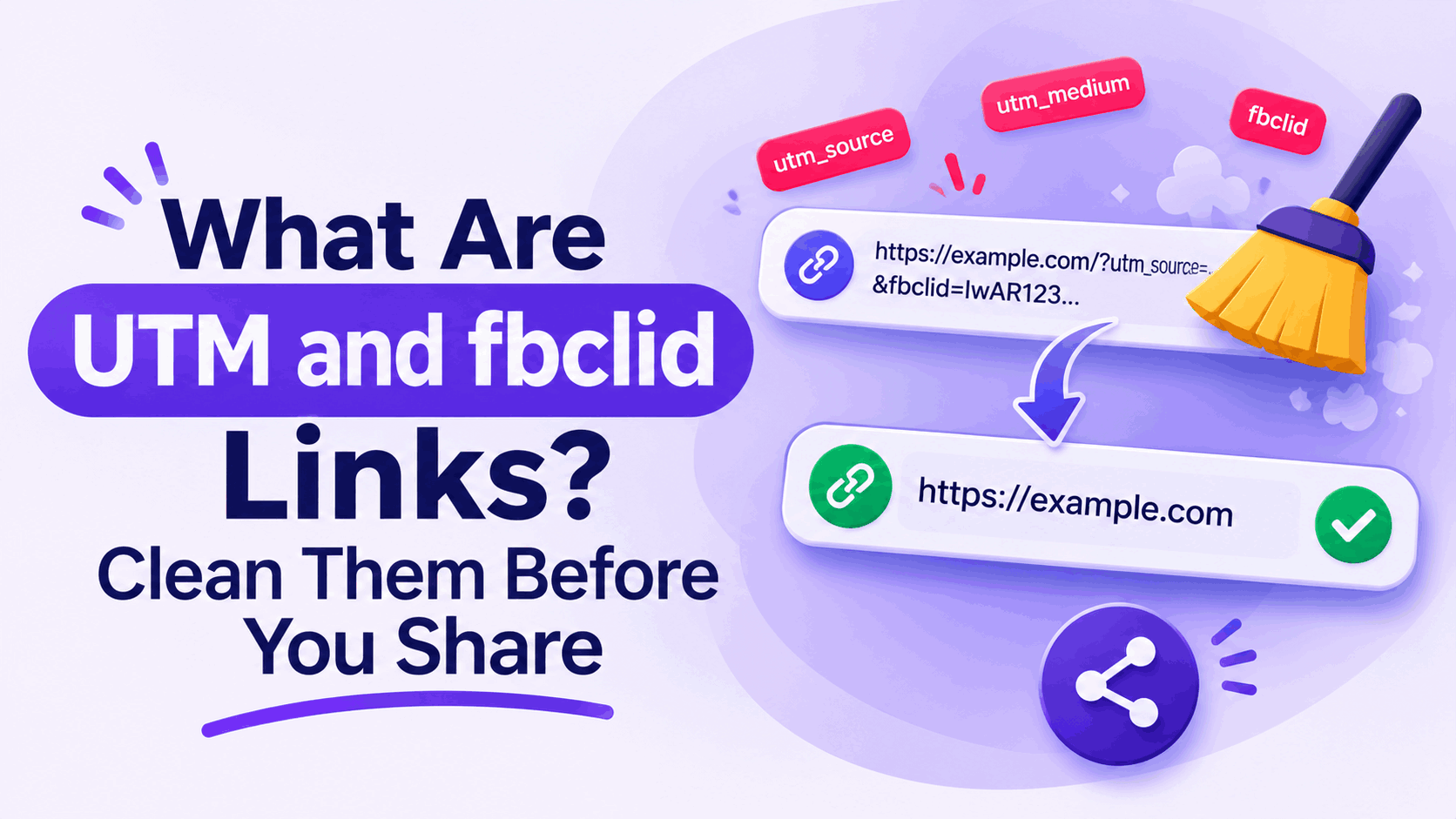
Before: https://example.com/blog/post?utm_source=instagram&utm_medium=social&utm_campaign=diwali_sale&fbclid=IwAR2abc123
After:  https://example.com/blog/post
Both open the same article. One just tells the site a lot more about how you got there.
The parameters you'll see most
| Parameter | Added by | What it records | Privacy impact |
|---|---|---|---|
| utm_source, utm_medium, utm_campaign | Marketers, newsletters | Which campaign or channel sent the click | Low |
| fbclid | Facebook, Instagram | A unique ID for the click from Meta's platforms | Medium |
| gclid | Google Ads | Which ad was clicked | Medium |
| si, igsh | YouTube, Spotify, Instagram share buttons | A share ID linked to the sharer | Medium to high |
| mc_eid | Mailchimp emails | The specific subscriber who clicked | High |
UTM parameters
UTM tags are the most common and the least personal. Marketers add them so tools like Google Analytics can group visits by source, such as "newsletter" or "instagram". Google documents how they work in its campaign URL builder help page. They usually describe a campaign, not a person.
Click IDs like fbclid and gclid
These are unique strings generated for a click. Meta appends fbclid to outbound links from Facebook and Instagram, and Google Ads adds gclid. They let advertisers connect a visit on their site to a specific ad interaction on the platform.
Share IDs like si and igsh
These matter most for everyday sharing. When you tap "Share" on YouTube, Spotify or Instagram, the link often includes an ID tied to your share. That can let the platform connect the person who opens it back to you, and in some apps it powers features showing who shared what with whom.
Email IDs
Newsletter links sometimes include a subscriber ID like mc_eid. If you forward that link, anyone who clicks may be recorded as you.
Why cleaning links is worth it
- Privacy. Share IDs and email IDs can link activity back to your account.
- Tidier messages. A 40-character link looks far better in a chat or document than a 250-character one.
- Fewer broken previews. Very long URLs sometimes get cut off in emails and SMS, which breaks them.
- Fair analytics for others. When you repost a link, stripped tags stop a campaign being credited for traffic it didn't create.
A quick example
Say a shopping newsletter lands in your inbox with a sale on headphones. You copy the product link and drop it into your college group chat. The link you pasted includes a campaign tag, a newsletter ID tied to your email address, and a long redirect wrapper from the email service.
Every friend who taps it now looks, to the store's analytics, like you clicking from your own inbox. If someone buys, the newsletter gets credit for a sale it didn't really drive. And the link itself is so long it wraps across six lines in the chat.
Cleaned, it's just the product page: short, readable, and carrying nothing about you. The page, the price and the sale are exactly the same.
How to clean a link in seconds
The quickest method is to paste it into a cleaner that knows which parameters are safe to remove.
- Copy the link from the app or browser.
- Paste it into the Link Cleaner.
- It strips known tracking parameters and unwraps redirect links, such as the long Google or Facebook redirect URLs you get when copying from search results.
- Copy the clean link and share it.
Doing it by hand
You can also delete everything from the question mark onwards. That works for most article and product links. Be careful with links where a parameter is essential. A YouTube link needs ?v= to know which video to play, and a search page needs its query. If you remove too much, the link breaks or opens the wrong page.
For example, youtube.com/watch?v=abc123&si=xyz should become youtube.com/watch?v=abc123, not youtube.com/watch.
Browser features that help
Some browsers now remove a few tracking parameters for you. Firefox strips known trackers when Enhanced Tracking Protection is set to Strict. Safari on recent iPhones removes some identifiers from links opened in Mail, Messages and private browsing. Brave removes many by default.
These features are useful, but they work on links you open. They don't clean the link you copy and send to someone else. That's why a quick clean before sharing still matters.
Links aren't the only thing that leaks
If you care enough about privacy to clean links, check what else you share. Photos carry hidden GPS coordinates and phone details, which our guide on removing GPS location from photos covers. Documents can include your name and company in their properties. And pasted text often contains phone numbers or email addresses that the Remove Personal Info tool can mask in one step.
Frequently asked questions
What does fbclid mean in a link?
It stands for Facebook Click Identifier. Meta adds it to links clicked on Facebook and Instagram so advertisers can measure visits from its platforms. Removing it doesn't affect the page.
Is it safe to remove UTM parameters?
Yes. UTM tags never change what the page shows. They only affect how the website's analytics records the visit.
Why do YouTube links have si= at the end?
The si parameter is a share identifier added when you use the Share button. It can be removed without affecting playback, as long as you keep the v= video ID.
Will cleaning a link break it?
Not if you only remove tracking parameters. Deleting everything after the question mark can break links that need a parameter, such as video IDs or search terms, which is why a dedicated cleaner is safer.
Make it a habit
Keep the Link Cleaner bookmarked on your phone's home screen. Cleaning a link takes one paste and one tap, and after a week it becomes as automatic as checking a message before you hit send.