Pexlora
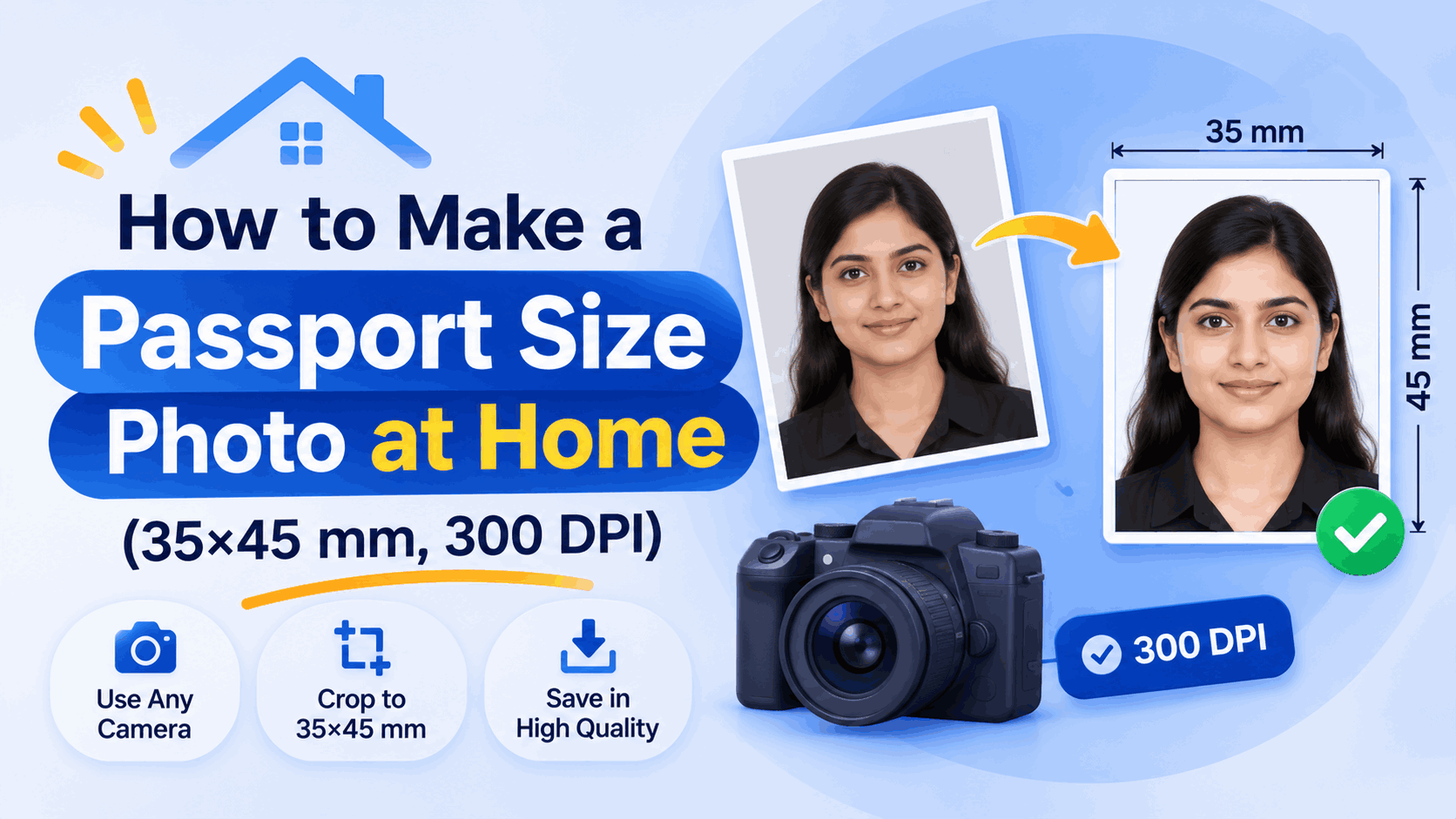
How to Make a Passport Size Photo at Home (35×45 mm, 300 DPI)
Make a passport size photo at home with your phone: the right lighting and background, exact 35×45 mm sizing at 300 DPI, and printing a full sheet for a few rupees.

5 min read
On this page
A trip to the photo studio for a few passport photos can eat half an afternoon, and you'll often need another set a month later for a different form. With a phone, a plain wall and a free tool, you can make a passport size photo at home in about ten minutes, then print a full sheet at any print shop for a few rupees.
The catch is that official photos have strict rules. Face size, background colour, head position and print resolution all matter, and a small mistake can get a passport or visa application sent back. The good news is that each rule is easy to meet once you know what it is.
This guide covers the standard Indian 35 × 45 mm size and the US 2 × 2 inch size, how to set up the shot, how to size it correctly at 300 DPI, and how to lay out a printable sheet so you get eight photos for the price of one print.
Know the size you need
Different documents use different sizes. The two most common for Indian applicants are below. Always confirm on the official site for your specific application, because embassies and agencies update their rules.
| Use | Print size | Pixels at 300 DPI | Background |
|---|---|---|---|
| Indian passport and most Indian forms | 35 × 45 mm | 413 × 531 | White |
| US passport and visa | 2 × 2 inches (51 × 51 mm) | 600 × 600 | White or off-white |
| Schengen visa | 35 × 45 mm | 413 × 531 | Light, plain |
The pixel numbers come from simple maths. At 300 dots per inch, 35 mm is 1.378 inches, and 1.378 × 300 is about 413 pixels. The same calculation gives 531 pixels for 45 mm. Indian requirements are listed on the Passport Seva portal, and US rules on the US State Department photo page.
Set up the shot
Studio photos look good because of even light and a clean background. You can copy both at home.
Background
Stand in front of a plain white or off-white wall with no shadows, posters or switchboards in frame. If your walls are coloured, tape a white bedsheet or chart paper behind you. Stand about half a metre away from it so your own shadow doesn't land on it.
Lighting
Face a window during the day. Soft daylight on your face is far better than a single overhead bulb, which creates dark eye sockets and a shiny forehead. Avoid direct harsh sunlight, which makes you squint.
Camera position
Ask someone to hold the phone at your eye level, about 1 to 1.5 metres away. Don't take a selfie at arm's length. A close camera exaggerates your nose and makes your face look wider, which can lead to rejection.
Pose like an official photo
- Face the camera straight on with your head level, not tilted.
- Neutral expression with your mouth closed and both eyes open.
- Ears and full face visible. Push hair back from your face.
- Remove glasses. The US no longer accepts glasses in passport photos, and many other countries discourage them because of glare.
- No caps or headwear, except religious headwear worn daily, which is generally allowed if your full face is visible.
- Plain, darker clothing that contrasts with the white background. A white shirt against a white wall can make you look like a floating head.
Take ten or fifteen shots so you can pick the one with the best expression and sharpest focus.
Size it correctly
Now you need to crop and resize the photo so your face sits in the right place at the right scale. This is where most homemade photos go wrong. Too much space above the head, or a face that's too small, is a common reason for rejection.
The easiest way is the Passport Photo Maker, which handles the measurements for you.
- Upload your best shot.
- Choose the photo size, such as 35 × 45 mm for India or 2 × 2 inches for the US.
- Position the crop guide so your face is centred, with your chin and the top of your head inside the marked lines.
- Download a single photo for online forms, or a print sheet for physical copies.
If you're doing it manually in another editor, crop to the exact aspect ratio first (35:45 for Indian photos), then resize to the pixel dimensions above. To check or set the print resolution separately, use Change DPI. Our guide on resizing photos for online forms covers the KB limits that exam portals add on top.
Print a sheet for a few rupees
Instead of printing one photo per page, put several on a standard 4 × 6 inch photo print, which costs very little at most print shops and photo kiosks.
A 4 × 6 inch sheet measures about 102 × 152 mm. In landscape orientation, you can fit four 35 mm wide photos across and two 45 mm tall photos down, which gives you eight passport photos on one print with a little room for cutting margins.
The Passport Photo Maker builds that sheet at 300 DPI automatically. Save it as a JPG, take it to a print shop or upload it to a photo printing app, and ask for a glossy or matte 4 × 6 print at actual size, with no "fit to page" scaling.
Common mistakes that get photos rejected
- Shadows on the background from standing too close to the wall.
- Face too small because the crop includes too much shoulder and background.
- Beauty filters or heavy editing. Smoothing skin or changing face shape can make the photo unacceptable.
- Printing with scaling on, which shrinks every photo slightly so it no longer measures 35 × 45 mm.
- Old photos. Most authorities want a photo taken within the last six months that matches how you look today.
Frequently asked questions
What is the size of a passport photo in India?
The standard size is 35 × 45 mm with a white background and a clear, front-facing view of the face. Check Passport Seva for the latest specifications before applying.
Can I take a passport photo with my phone?
Yes. Any modern phone camera has enough resolution. Lighting, background and camera distance matter far more than the phone model.
How many passport photos fit on a 4 × 6 print?
Eight photos of 35 × 45 mm fit on a 4 × 6 inch sheet in landscape layout. For 2 × 2 inch photos, you can fit two.
Can I smile in a passport photo?
A neutral expression with your mouth closed is the safest choice. Many countries reject broad smiles because they change facial measurements.
Save a master copy
Once you have a photo that meets the rules, keep the full-resolution original along with the sized version in a folder on your phone. The next time a form or office asks for passport photos, you can make a new sheet in two minutes instead of setting everything up again.