Pexlora
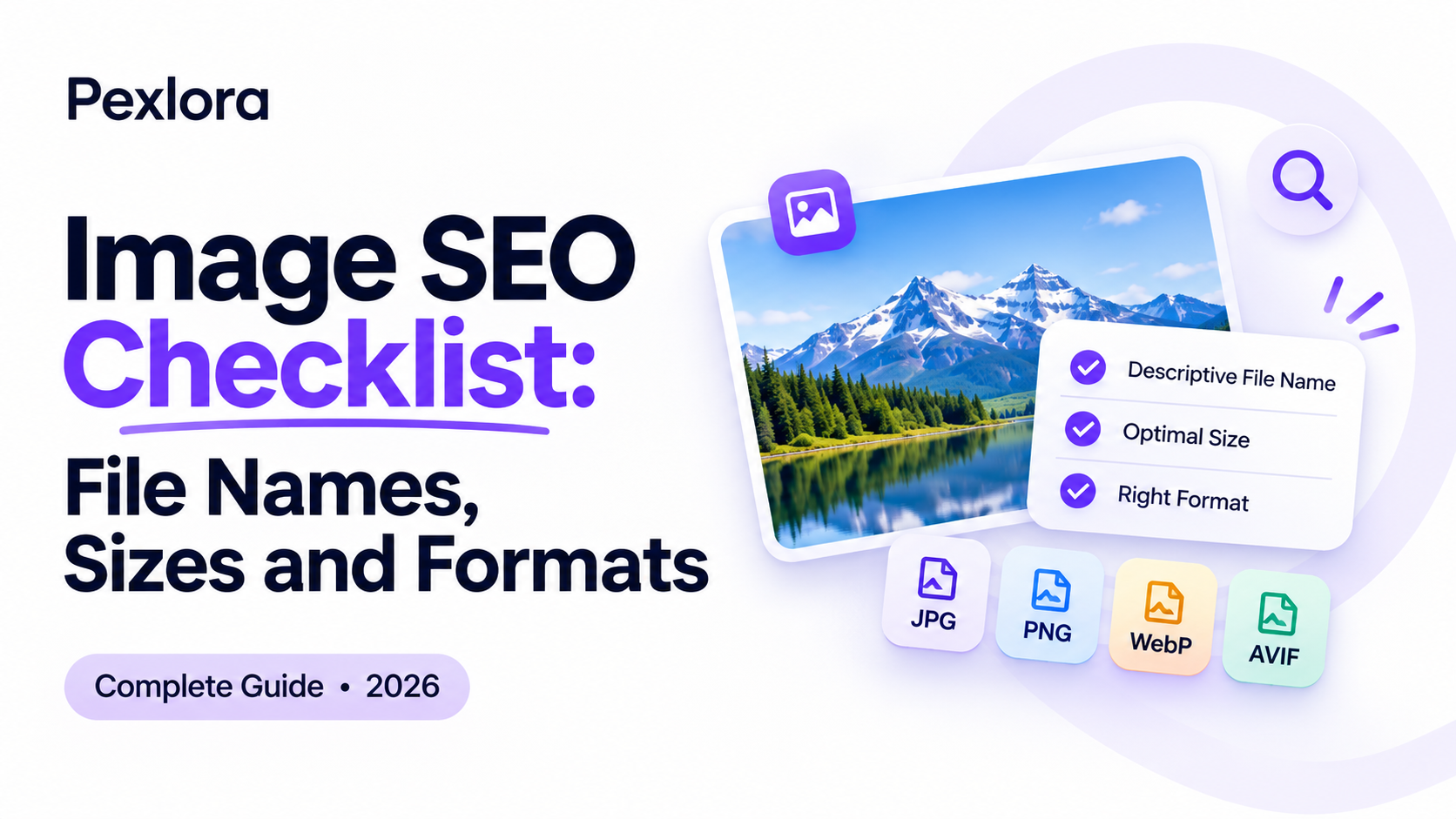
Image SEO Checklist: File Names, Sizes and Formats
A practical image SEO checklist covering file names, alt text, dimensions, file size, WebP and AVIF formats, lazy loading and structured data, so your images rank in search and load fast.

6 min read
On this page
Images are often the heaviest part of a web page and the least optimised. A clear image SEO checklist fixes both problems at once: it helps search engines understand what each picture shows, and it keeps pages fast enough to rank well and hold visitors.
Google Images and visual search results are a real source of traffic for product pages, recipes, tutorials and travel content. At the same time, an oversized hero image is one of the most common reasons a page fails Core Web Vitals. Most sites lose on both fronts because images get uploaded straight from a camera or design tool with names like IMG_4821.jpg and no alt text.
Work through the sections below for every image you publish. Each step takes seconds once it becomes habit, and the full checklist at the end lets you audit an existing page in a few minutes.
Why image SEO affects rankings and speed
Search engines cannot see an image the way people do. They rely on the file name, alt text, surrounding text, captions and structured data to work out what it shows. Google's image SEO best practices name each of these signals directly.
Speed is the other half. Largest Contentful Paint (LCP), one of Google's Core Web Vitals, measures how long the biggest visible element takes to appear, and on many pages that element is an image. web.dev recommends an LCP of 2.5 seconds or less. A 3 MB banner on a mobile connection makes that target very hard to hit.
Consider two versions of the same product page. One uses a 2.8 MB PNG named banner-final-v3.png with no alt text. The other uses a 160 KB WebP named leather-laptop-bag-brown.webp with alt text describing the bag. The second loads faster, is eligible to appear in image search for "brown leather laptop bag", and is usable for people on screen readers.
Name image files descriptively
File names are a small but real relevance signal, and they are the easiest one to get right. Rename files before uploading, because most platforms fix the name into the image URL permanently.
- Describe the image:
red-running-shoes-side-view.jpg, notDSC_0042.jpg. - Use hyphens between words, not underscores or spaces.
- Keep it short: three to six words is plenty.
- Use lowercase to avoid duplicate URLs on case-sensitive servers.
- Skip keyword stuffing:
shoes-buy-shoes-cheap-shoes.jpghelps nobody.
Renaming dozens of files by hand is tedious. The Pexlora AI Alt Text Generator suggests a descriptive file name along with alt text for each image you upload.
For sites in more than one language, name files in the language of the page they appear on. A Hindi recipe page benefits more from a transliterated or Hindi file name than from an English one, because the name should match how that page's readers search.
Write useful alt text
Alt text serves two audiences: people using screen readers, and search engines. Writing for the first audience almost always serves the second well.
Good alt text describes what the image shows in context, in about 8 to 15 words. Compare these three versions for a photo on a recipe page:
- Missing:
alt=""on an informative image. Search engines and screen readers get nothing. - Stuffed:
alt="biryani recipe best biryani easy biryani". Reads as spam. - Useful:
alt="Chicken biryani in a copper pot topped with fried onions and mint".
Decorative images, such as background patterns or divider graphics, should use an empty alt="" so screen readers skip them. The W3C alt text decision tree helps when you are unsure which category an image falls into.
Get dimensions and file size right
Serve images at the size they display, not the size they were shot. A photo shown 800 pixels wide does not need to be 4000 pixels wide.
Target dimensions
Aim for about twice the display width at most, to stay sharp on high-density screens. A 600-pixel content column needs images around 1200 pixels wide. Use srcset to let the browser choose a smaller file on phones.
Target file sizes
There is no official limit, but these are practical goals for most sites: under 200 KB for content images, under 300 KB for full-width heroes, and under 50 KB for thumbnails. Our guide to compressing images without losing quality shows how to reach them.
Set width and height
Always include width and height attributes. The browser reserves the space before the image loads, which prevents layout shift, another Core Web Vitals metric.
<img
  src="leather-laptop-bag-brown-1200.webp"
  srcset="leather-laptop-bag-brown-600.webp 600w,
          leather-laptop-bag-brown-1200.webp 1200w"
  sizes="(max-width: 640px) 100vw, 600px"
  width="1200" height="800"
  alt="Brown leather laptop bag with brass buckles on a wooden desk"
  loading="lazy">
Choose modern formats and load images smartly
Format and loading behaviour often matter more for speed than compression settings.
| Image type | Recommended format | Fallback |
|---|---|---|
| Photos | WebP or AVIF | JPG |
| Logos and icons | SVG | PNG |
| Screenshots | Lossless WebP | PNG |
| Graphics with transparency | WebP | PNG |
Convert existing files with the Pexlora image converter. If you run a CMS or e-commerce platform, check whether it already converts uploads to WebP automatically, because converting twice wastes quality. Then handle loading:
- Lazy-load below-the-fold images with
loading="lazy", which MDN documents as natively supported in modern browsers. - Never lazy-load the LCP image. Your main hero should load immediately, and you can add
fetchpriority="high"to it. - Strip metadata on publish. EXIF data adds bytes and can expose GPS locations from staff photos.
The complete image SEO checklist
Use this list before publishing a page, or to audit pages that already exist.
Frequently asked questions
Do image file names really affect SEO?
Google lists file names as one of the signals it uses to understand images. The effect is small compared with alt text and page content, but descriptive names cost nothing and also make your media library easier to manage.
How long should alt text be?
Most good alt text runs 8 to 15 words. Some screen readers cut off very long alt text, so put the most important detail first and move longer explanations into a caption.
Should I use WebP for every image?
For photos and most graphics on a website, WebP is a strong default with near-universal browser support. Use SVG for logos and icons, and keep JPG or PNG versions for email and downloads.
Does lazy loading hurt SEO?
Not when it is done with the native loading="lazy" attribute, which search engines handle well. Avoid lazy-loading the main above-the-fold image, as that slows LCP.
Your next step
Pick your highest-traffic page and run it through the checklist above. Start with the hero image, since it usually decides LCP: rename it, resize and convert it to WebP, and add proper alt text with the AI Alt Text Generator. Then measure the page again in PageSpeed Insights and compare the LCP figure before and after.