Pexlora
How to Remove AI Metadata from Images in 2026 (Complete Guide)
Learn how to remove AI metadata from images in 2026. Discover how to inspect EXIF, XMP and Content Credentials, protect image privacy, and clean image files.

10 min read
On this page
Artificial intelligence has completely changed the way images are created. Tools such as ChatGPT, Google Gemini, Midjourney, and Stable Diffusion allow anyone to generate high-quality images within seconds.
But there is something many people overlook: the information stored inside an image file.
An image does not always contain just pixels. Depending on how it was generated, edited, and exported, it may also contain metadata describing its creation process, editing software, timestamps, file properties, and sometimes information about the tools used to create it.
This information can be useful for photographers, designers, developers, and digital publishers. However, it can also raise privacy concerns when images are shared publicly.
If you regularly create AI-generated images or upload images to websites and social media platforms, understanding image metadata is becoming increasingly important.
In this guide, we will explain what AI image metadata is, what information it can contain, how to inspect it, and how to remove unwanted metadata from images in 2026.
What Is AI Image Metadata?
AI image metadata refers to additional information associated with an image file that describes its properties, creation process, or editing history.
When an image is generated using an AI tool, some platforms may include metadata in the exported file. The exact information depends on the image generator, export format, and processing workflow.
For example, an AI-generated image may contain:
Software or application information.
Image creation and modification timestamps.
Image dimensions and color profiles.
AI generation or editing information.
EXIF, XMP, or other embedded metadata.
Content Credentials describing an image's origin and editing history.
Not every AI-generated image contains all these details. Some platforms preserve metadata, while others remove or modify it during export.
This is why checking an image individually is more reliable than assuming every AI-generated image contains the same information.
Why Should You Remove AI Metadata from Images?
There are several reasons why people choose to clean metadata before publishing or sharing images.
1. Protect Your Privacy
Image metadata can sometimes reveal information that you did not intend to share.
For example, photographs captured using cameras or smartphones may contain GPS coordinates, timestamps, camera information, and device details.
If location information is embedded in an image, sharing the original file publicly could expose where a photograph was taken.
Removing unnecessary location and device metadata can help reduce this privacy risk.
2. Keep Image Files Clean
Images downloaded from different applications or editing platforms may contain additional metadata that is not necessary for their intended use.
Cleaning unnecessary information can make image files more consistent and easier to manage.
This can be particularly useful for people working with large image libraries, website assets, and digital content collections.
3. Prepare Images for Website Publishing
Website owners, bloggers, designers, and digital publishers regularly upload images to their platforms.
Before publishing, they may want to review unnecessary embedded information, standardize their image assets, and remove sensitive personal details.
Metadata management is one small but useful part of maintaining a clean publishing workflow.
4. Control What Information You Share
Not every piece of information associated with an image needs to be publicly available.
Whether you are sharing a portfolio, uploading artwork, or distributing promotional graphics, reviewing embedded metadata gives you greater control over the information included with your files.
Important: Removing metadata does not make an image anonymous or guarantee that its origin cannot be identified. Visible details, platform records, file hashes, and other signals may still provide information about its source.
Types of Metadata Found in AI-Generated Images
Before removing metadata, it helps to understand the different technologies involved.
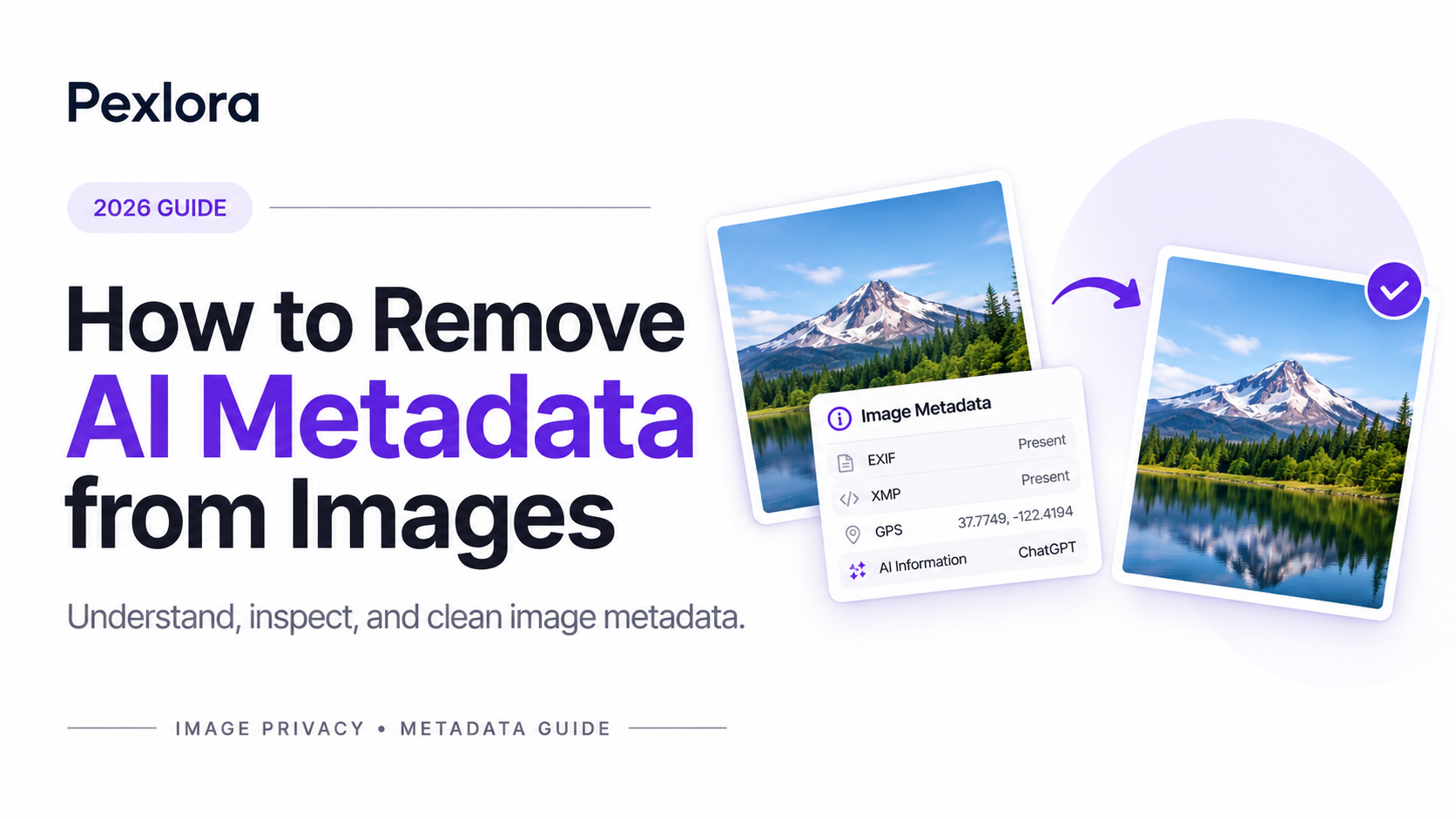
Three important metadata standards and systems are EXIF, XMP, and C2PA.
1. EXIF Metadata
EXIF (Exchangeable Image File Format) is commonly used to store information about digital photographs.
Depending on the device and application, EXIF metadata can include:
Camera manufacturer and model.
Date and time when a photograph was captured.
GPS coordinates.
Camera settings.
Image orientation.
Software information.
AI-generated images do not necessarily contain traditional camera EXIF information. However, image editing and export applications may add or preserve some EXIF fields.
2. XMP Metadata
XMP (Extensible Metadata Platform) is a metadata framework developed by Adobe.
It allows applications to store descriptive and technical information about digital files.
XMP information may include:
Creator and author details.
Copyright information.
Editing history.
Software information.
Descriptive keywords.
Other custom metadata fields.
It is particularly relevant to designers, photographers, and digital content creators who work with multiple editing applications.
3. C2PA Content Credentials
C2PA is a standard designed to provide information about the origin and history of digital content.
Content Credentials can include information about how an image was created, whether AI tools were involved, and what changes were made during editing.
Unlike traditional metadata, C2PA uses cryptographically signed manifests to help establish the authenticity and integrity of provenance information.
This distinction is important: Content Credentials are not simply another EXIF field.
You can learn more from the official C2PA specifications.
How to Remove AI Metadata from Images in 2026
You do not necessarily need professional image-editing software to clean metadata.
A dedicated metadata removal tool can make the process much easier.
Here is a straightforward workflow.
Step 1: Choose an Image
Start by selecting the AI-generated image you want to inspect.
It could be an image created using ChatGPT, Gemini, Midjourney, Stable Diffusion, or another image-generation platform.
Keep the original file available in case you need to compare the results later.
Step 2: Inspect the Image Metadata
Before removing anything, check what information is actually present in the image.
Look for available EXIF, XMP, IPTC, software, timestamps, and other metadata fields.
This helps you understand which information needs attention rather than removing data without knowing what it contains.
Step 3: Open an Image Metadata Removal Tool
Use a metadata removal tool to process your selected image.
For a simple browser-based workflow, you can explore Pexlora and its image metadata utilities.
Choose the relevant metadata cleaning option and select your image.
Always check which metadata categories the tool supports before processing the file.
Step 4: Remove Unnecessary Metadata
Once the image has been loaded, review the available metadata and choose the information you want to remove.
Depending on the tool, this may include:
EXIF information.
XMP metadata.
IPTC information.
Location-related metadata.
Other supported embedded information.
Be aware that removing an entire metadata block may also remove useful copyright, attribution, or provenance information.
If you need to preserve Content Credentials or copyright details, review the tool's behavior before proceeding.
Step 5: Download the Cleaned Image
After processing, download the resulting image.
Keep the original and cleaned versions separate so that you can compare them if necessary.
Step 6: Verify the Result
Do not assume that an image is completely metadata-free just because a tool reports successful processing.
Inspect the downloaded image again using a metadata viewer.
Check whether the fields you intended to remove are still present.
Also remember that metadata removal and invisible AI watermark removal are two different processes.
Can You Remove AI Watermarks by Removing Metadata?
This is one of the most common misunderstandings about AI-generated images.
No. Removing image metadata does not automatically remove invisible AI watermarks.
There are different ways AI-generated content can carry information about its origin.
Consider Google's SynthID technology.
SynthID embeds digital watermarks directly into AI-generated content. These watermarks are designed to remain detectable even after many common image modifications.
This means that removing EXIF or XMP metadata does not necessarily affect an embedded SynthID watermark.
Similarly, metadata-based Content Credentials and pixel-level watermarks serve different purposes.
Here is a simple comparison:
Technology | Where information is stored | Removed by ordinary metadata cleaning? |
|---|---|---|
EXIF | Image metadata | Usually, if supported |
XMP | Image metadata | Usually, if supported |
IPTC | Image metadata | Usually, if supported |
C2PA | Embedded provenance manifest | Depends on implementation |
SynthID | Embedded within image content | No |
For more information, see Google DeepMind's SynthID overview and OpenAI's guide to provenance signals.
Does Removing AI Metadata Affect Image Quality?
In most ordinary metadata-cleaning workflows, removing metadata does not require changing the actual visual pixels of an image.
However, the result depends on how the image is processed.
There are two common approaches:
Metadata-only processing: The tool removes or modifies metadata while preserving the image's visual content. This is generally the preferred approach when image quality matters.
Image re-encoding: The image is decoded and saved again in a particular format. Depending on the format and compression settings, this may affect image quality.
For example, JPEG re-encoding can introduce additional compression artifacts, while PNG is generally lossless.
If preserving the original image quality is important, choose a tool that supports metadata-only processing and verify the output dimensions and file format.
Which AI Image Platforms Can Have Metadata?
Different AI platforms use different image-generation and export processes.
Here are a few examples worth understanding.
ChatGPT
Images generated through OpenAI tools may include provenance information such as C2PA Content Credentials when supported by the generation workflow.
These credentials can provide information about the origin of an image and its creation history.
However, metadata availability can vary depending on the product, export method, and subsequent processing.
Google Gemini
Google uses SynthID to embed digital watermarks into content generated by its AI models.
This is different from traditional EXIF metadata.
Even if ordinary metadata is removed, SynthID may remain detectable.
Midjourney
Midjourney images may contain file and export information depending on how the image is downloaded or processed.
Metadata should be inspected rather than assuming that every exported image contains the same fields.
Stable Diffusion
Stable Diffusion workflows can store generation information, including prompts and settings, in PNG metadata.
The information available depends on the interface, configuration, and export process used to create the image.
This makes metadata inspection particularly useful for people who generate images using local AI workflows.
Best Practices Before Sharing AI-Generated Images
Removing unnecessary metadata is useful, but it should be part of a broader image privacy workflow.
Consider these practices before publishing images online:
Inspect before sharing: Check whether an image contains sensitive personal or location information.
Preserve important attribution: Keep copyright and creator information when it is required.
Understand provenance: Do not confuse removing metadata with removing an AI watermark.
Use original files carefully: Keep an untouched copy of important images.
Verify processed files: Inspect the final downloaded image instead of relying only on processing notifications.
Be transparent: Follow platform policies and applicable disclosure requirements when publishing AI-generated content.
The goal should be responsible metadata management, not misleading viewers about how an image was created.
Frequently Asked Questions (FAQs)
1. What is AI metadata in an image?
AI image metadata is additional information associated with an image file that may describe its creation, editing process, software, or provenance. The information depends on the platform and export method.
2. How can I remove AI metadata from an image for free?
You can use a browser-based metadata removal tool such as the image utilities available through Pexlora. Upload or select an image, inspect the supported metadata fields, process the file, and verify the downloaded result.
3. Does removing EXIF data remove AI detection?
No. EXIF removal only affects supported metadata fields. AI detection systems may use other signals, including embedded watermarks, Content Credentials, visual analysis, or external information.
4. Does ChatGPT add metadata to generated images?
ChatGPT-generated images may include C2PA Content Credentials depending on the generation and export workflow. The presence of provenance information can vary.
5. Can Google SynthID be removed by deleting metadata?
No. SynthID is embedded into the generated content rather than stored as ordinary EXIF or XMP metadata. Removing ordinary metadata does not automatically remove it.
6. Does removing metadata reduce image quality?
Not necessarily. Metadata-only processing can preserve the visual image. Re-encoding or converting an image may affect its quality depending on the format and compression settings.
7. Is it safe to upload images to online metadata removal tools?
It depends on the provider's privacy and file-handling practices. Before uploading sensitive images, check whether processing happens locally in your browser or on a remote server, how files are handled, and whether they are retained.
8. Which image formats can contain metadata?
JPEG, PNG, TIFF, and WebP can all carry metadata in different ways. The supported metadata types and storage mechanisms vary by format.
Final Thoughts
AI-generated images are becoming a normal part of digital content creation. From marketing graphics and social media posts to website illustrations and professional designs, people are producing and sharing more images than ever.
However, understanding what information travels with those images is just as important as creating them.
Learning how EXIF, XMP, and C2PA work helps you make better decisions about image privacy, publishing, and digital content management.
If you regularly work with images, make metadata inspection part of your publishing workflow.
Want to inspect and clean your image metadata?
Explore Pexlora and discover simple image utilities designed to make image management easier.
Take control of the information associated with your images before sharing them online.