Pexlora
How to Add a Watermark to a PDF (Free, Step by Step)
Learn how to add a watermark to a PDF for free: text or logo, position, opacity and page range, plus how to make watermarks harder to remove and which method suits drafts, invoices and ID copies.

5 min read
On this page
A watermark is the simplest way to mark a document as a draft, protect your brand, or stop a copy of your ID from being reused. If you need to add a watermark to a PDF, you can do it free in a browser in under a minute, as long as you choose the right text, opacity and placement for the job.
This comes up more often than people expect. Freelancers send proposals that get forwarded without credit. Landlords and banks ask for Aadhaar, PAN or passport copies, and those copies can be misused if they leak. Teams share draft contracts that later circulate as if they were final.
This guide covers when a watermark helps, how to add a text or logo watermark step by step, the settings that keep the document readable, and how to make your watermark harder to strip out.
When to watermark a PDF
Watermarks do two jobs: they tell readers something about the document's status, and they make misuse inconvenient. They are not encryption, and they do not stop someone from reading the file. Pick the purpose first, because it decides the wording and style.
| Use case | Suggested watermark | Style |
|---|---|---|
| Draft contracts and reports | DRAFT | Large, diagonal, light grey |
| Internal documents | CONFIDENTIAL | Diagonal or header, red or grey |
| ID copies for KYC | For rental verification only, 19 Nov 2026 | Diagonal across the photo and number |
| Portfolios and proposals | Your logo or studio name | Corner or centred, low opacity |
| Sample pages of an ebook | Sample, not for distribution | Footer on every page |
The ID copy example deserves attention. A plain scan of an identity document can be reused for a different purpose. A watermark stating who it is for, why, and the date makes the copy far less useful to anyone else, and is a common recommendation when sharing identity documents.
How to add a watermark to a PDF online
A browser tool is the fastest route, and it works on phones and laptops alike.
- Open the Pexlora Add Watermark to PDF tool.
- Upload your PDF.
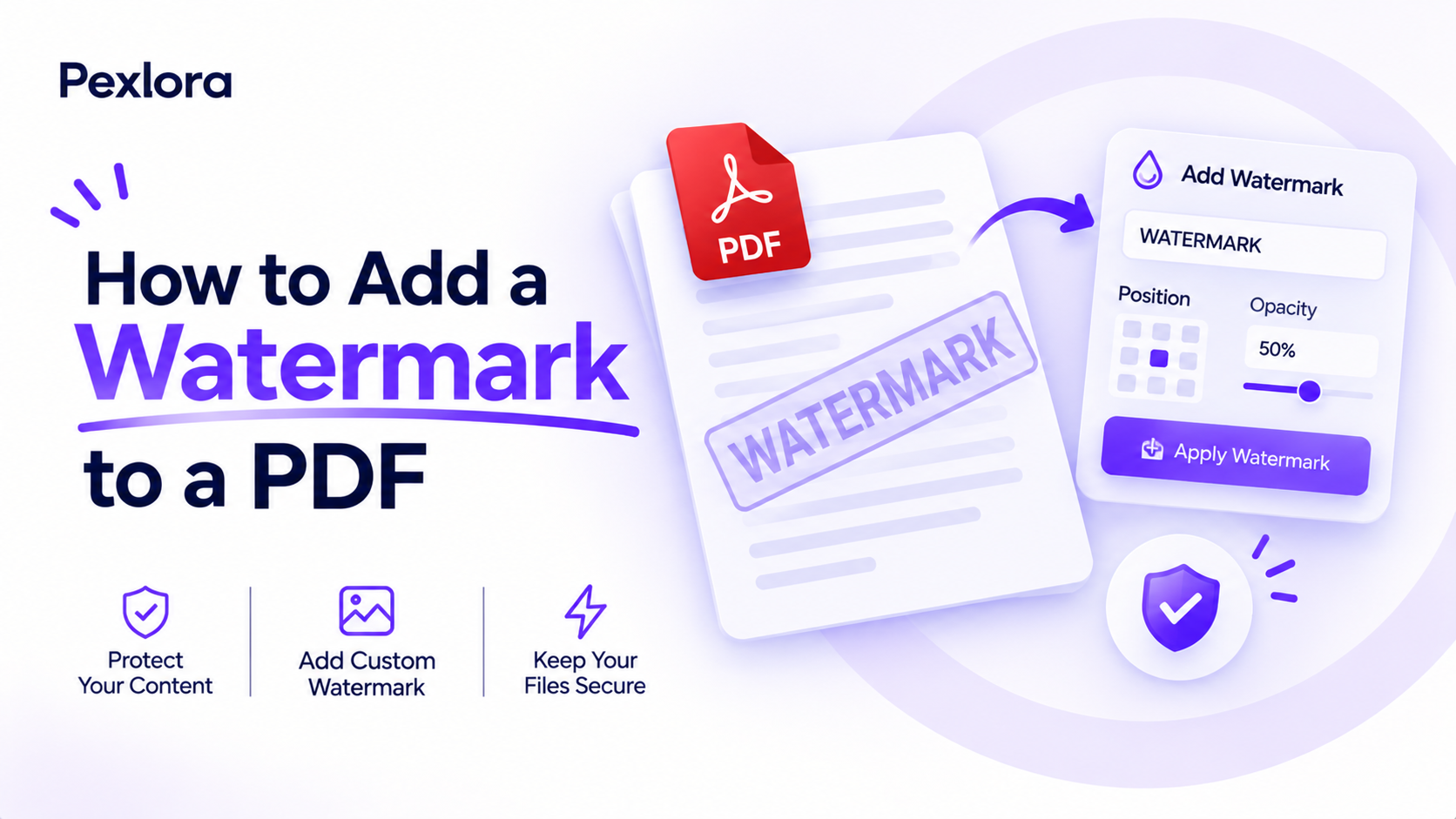
- Choose Text and type your watermark, such as CONFIDENTIAL, or choose Image and upload your logo.
- Set the position, rotation, font size and opacity. A preview shows how it looks on the page.
- Pick the pages: all pages, or a range such as 1 to 3.
- Click apply, then download the watermarked PDF.
Check the output on a phone screen as well as a laptop. A watermark that looks subtle on a large monitor can disappear entirely on a small screen, or cover key text when the page reflows in a mobile viewer.
Text vs logo watermarks
Both work, but they suit different documents.
Text watermark
Best for status labels and ID copies. It is quick to change, readable at any size, and can include a date or recipient name. The downside is that plain text is easier to recreate or crop out than a detailed logo.
Logo watermark
Best for branding portfolios, catalogues and proposals. It looks professional and reinforces ownership. Use a PNG with a transparent background, and keep it simple so it stays clear at low opacity.
For logo watermarks, a single-colour version usually works better than the full-colour logo. At 20 percent opacity, a multi-colour logo can turn into a muddy smudge, while a solid grey or black mark stays crisp.
Settings that keep the document readable
A watermark that makes the document hard to read defeats the purpose. These settings work for most documents:
- Opacity: 15 to 30 percent for diagonal text across the page. Go higher, around 40 to 50 percent, only for small corner marks.
- Rotation: 45 degrees for a diagonal watermark. It crosses more of the page, which makes cropping harder.
- Size: for a diagonal label, the text should span about 60 to 80 percent of the page width.
- Colour: light grey suits almost any document. Red works for urgent labels but can be distracting in long files.
- Layer: place it behind the content when the document has dense text, or in front when you are protecting images such as an ID photo.
Here is a practical example for a passport copy shared with a landlord: text reading Copy for flat rental, Kumar Properties, 19-11-2026, 45-degree rotation, 30 percent opacity, placed over the photo and the passport number. The landlord can still verify the details, but the copy is clearly tied to one purpose.
Make your watermark harder to remove
Most free tools add the watermark as a separate object. That keeps text searchable and the file small, but anyone with a full PDF editor may be able to select and delete it. If removal is a real risk, add one or more of these protections:
- Flatten the PDF: merges the watermark into the page so it is no longer a separate, selectable object.
- Convert pages to images: export each page as an image with PDF to JPG, then rebuild the PDF with JPG to PDF. The watermark becomes part of the pixels. The trade-off is that text is no longer searchable or selectable, and the file is larger.
- Repeat the watermark: a tiled pattern across the page is much harder to clean up than a single mark.
- Add a password: restricting editing in the PDF's security settings discourages casual changes, though it is not foolproof.
For developers, libraries such as pypdf can stamp a watermark page onto every page of a PDF in a script, which suits batch jobs like watermarking a folder of invoices. Adobe also documents its own approach in the Acrobat watermark guide, if you already pay for Acrobat.
Frequently asked questions
Can I add a watermark to a PDF for free?
Yes. Browser tools such as Pexlora's let you add text or image watermarks to a PDF without installing software or creating an account. Free use covers a set number of files per day.
Can a PDF watermark be removed?
Sometimes. If the watermark is a separate layer, a full PDF editor may delete it. Flattening the file or converting pages to images makes removal much harder.
How do I watermark only some pages of a PDF?
Choose a page range in the watermark tool, such as pages 2 to 5. If you need different watermarks on different sections, split the PDF, watermark each part, then merge them back together.
What should I write on an ID copy watermark?
Write who the copy is for, the purpose and the date, for example "For bank account opening at XYZ Bank only, 19-11-2026". Place it across the photo and ID number so it cannot be cropped out.
Your next step
Open a document you are about to send, decide what the watermark is for, and add it with the PDF watermark tool using the settings above. If the file is a scan of an ID or any personal document, also check it for hidden metadata with Remove PDF Metadata, since PDFs can carry author names, software details and edit history.